A Developer's Guide to the FHIR API for Health Data
 Dr. Sarah Chen
A FHIR API is essentially a universal translator for healthcare data. Standing for Fast Healthcare Interoperability Resources, it’s a modern, web-based standard designed to let different electronic health systems speak the same language. For developers, this is a game-changer. It uses a RESTful architecture, making it feel as familiar and intuitive as any other modern web API you've worked with.
What Is the FHIR API and Why Does It Matter

For decades, the biggest headache in health IT has been data fragmentation. A patient's information gets locked away in proprietary EHR systems, making it nearly impossible for different apps or even different doctors to get a complete picture of their health. It's a classic silo problem.
The FHIR API tackles this head-on. It establishes a standardized set of "Resources"-think of them as distinct data objects like a Patient, an Observation, or a Medication. It then provides a simple, web-friendly method to access and manipulate these resources.
This completely changes the game. Instead of a messy puzzle of custom, point-to-point integrations, we get a streamlined and scalable process. Developers can finally build applications that securely pull specific pieces of health data from any system that speaks FHIR.
The Growing Importance of FHIR
The move toward FHIR isn't just a passing trend. It's a foundational shift, pushed forward by government regulations and the industry's genuine desire for more patient-focused care. The numbers back this up. The 2025 State of FHIR survey found that 71% of participating countries are now using FHIR for specific, defined use cases, a significant jump from the year before. This shows FHIR is becoming a core piece of the health data puzzle. You can learn more about these healthcare interoperability solutions to see the bigger picture.
Why is this standardization so critical?
- Empowering Patients: It's the engine behind apps that let you pull up your own health records from different doctors and hospitals.
- Smarter Clinical Workflows: It allows various systems inside a hospital to share information smoothly, cutting down on manual data entry and the risk of errors.
- Fueling Research: It makes gathering and analyzing large sets of clinical data for research far simpler and more efficient.
This is where platforms like OMOPHub come in. They build on the FHIR framework by connecting its resources to standardized terminologies. This bridge simplifies the notoriously tricky task of data mapping, making ETL processes much more manageable for developers building the next wave of health applications.
Understanding Core FHIR Concepts: Resources and Interactions
To get your hands dirty with a FHIR API, you first need to get a handle on its fundamental building blocks. Everything in FHIR revolves around Resources, which are essentially the smallest, most logical units of healthcare information you can manage.
Think of a Resource like an object in programming or a single, well-defined table in a database. Each one represents a specific clinical or administrative concept. A Patient resource, for instance, holds demographic data, an Observation resource contains a lab result or vital sign, and a Medication resource details a particular drug. This modular design is what gives FHIR its incredible flexibility-it breaks down the massive, tangled web of healthcare data into predictable, consistent chunks.
How FHIR Resources Work
Okay, so we have these Resources. How do we actually interact with them? This is where the beauty of FHIR's design really shines through. It’s built on a RESTful API, which means it uses the same standard web verbs-known as Interactions-that developers work with every day. These interactions let you perform all the classic CRUD (Create, Read, Update, Delete) operations.
Here are the primary interactions you'll use constantly:
GET: This is for reading data. You might use it to fetch a specific patient by their ID or search for all observations of a certain type.POST: Use this to create a brand-new resource on the server, like adding a newAllergyIntolerancerecord for a patient.PUT: This is for updating an existing resource. When a patient’s address changes, aPUTrequest updates theirPatientresource with the new info.DELETE: As you’d expect, this removes a resource from the server.
The fact that FHIR is built on this RESTful foundation dramatically lowers the barrier to entry. If you’ve ever built or consumed a modern web API, you already understand the core mechanics needed to start making calls to a FHIR server.
What A FHIR API Call Looks Like in Practice
Let's make this concrete. Say you need to pull up the record for a specific patient with the ID 123. A simple GET request would look something like this:
GET [base]/Patient/123
Here, [base] is just the root URL of the FHIR server you're talking to. The server would then shoot back a JSON object containing that patient's structured data-their name, birthdate, address, and so on. You can find more detailed examples and documentation on how to structure these calls in the OMOPHub documentation.
Common FHIR Resources and Their Purpose
To help you get started, here’s a quick-reference table summarizing some of the most frequently used FHIR resources and what they actually represent in a clinical setting.
| FHIR Resource | Description | Example Use Case |
|---|---|---|
Patient | Demographic and administrative information about an individual. | Storing a patient's name, birth date, and contact info. |
Practitioner | Information about a healthcare provider, like a doctor or nurse. | Linking an encounter to the attending physician. |
Observation | Measurements, simple assertions, or lab results about a patient. | Recording a patient's blood pressure or glucose level. |
Condition | A clinical condition, problem, diagnosis, or other event. | Documenting a patient's diagnosis of Type 2 diabetes. |
MedicationRequest | An order or request for a medication to be dispensed or administered. | Prescribing a 30-day supply of metformin. |
Encounter | An interaction between a patient and healthcare provider(s). | Representing a patient's annual physical exam visit. |
AllergyIntolerance | Details a patient's allergy or intolerance to a substance. | Noting a patient's allergy to penicillin. |
This is just a small sample, of course. The full standard includes many more resources to cover nearly every aspect of healthcare data.
Refining Resources With Profiles
While base Resources provide a universal structure, real-world healthcare is messy and often requires more specific rules. This is where Profiles come in. A Profile is essentially a set of constraints or extensions applied to a base FHIR resource to make it suitable for a particular use case.
A Profile might, for example, enforce the use of a specific vocabulary like SNOMED CT for diagnoses, or it could mandate that certain data elements, like a patient's race and ethnicity, are always present. This ensures the data is not only structured correctly but also clinically meaningful for its intended purpose.
FHIR’s journey over the last decade has been one of practical, real-world evolution. It started back in 2012 with just 49 resources and has since grown to 145, adapting to meet complex needs. Today, its RESTful API underpins everything from U.S. prior authorization workflows to Europe's Patient Summary initiative, as you can read more about in this CEO's perspective on Fire.ly. Truly understanding these workflows means getting familiar with vocabularies like SNOMED, and our guide on the SNOMED CT Browser is a great place to start.
Putting the FHIR API to Work: Practical Examples
Theory is great, but the best way to really get a feel for the FHIR API is to see it in action. Let's roll up our sleeves and walk through a few common interactions. We'll use Python's excellent requests library to show how you'd build these calls in a real-world application.
Finding a Patient by Name
One of the first things you'll ever do is look up a patient. FHIR's search capabilities are powerful, letting you query for resources using specific criteria. Here, we'll try to find a patient named Peter Chalmers.
import requests
import json

# The endpoint for the public HAPI FHIR test server
base_url = "http://hapi.fhir.org/baseR4"

# Let's define our search parameters
search_params = {
    "family": "Chalmers",
    "given": "Peter"
}

# The request will go to the Patient endpoint
url = f"{base_url}/Patient"

# Fire off the GET request
response = requests.get(url, params=search_params)

# Check the response and print the results
if response.status_code == 200:
    print(json.dumps(response.json(), indent=2))
else:
    print(f"Error: {response.status_code}")
When this runs, the server sends back a Bundle resource. Think of a Bundle as a container for other resources. Inside this Bundle, you'll find an array of Patient resources that matched our search, each filled with demographic details.
Pulling Lab Results for a Specific Patient
Okay, so you've found your patient and have their ID. Now what? A common next step is to retrieve their clinical data, like lab results. In FHIR, these are typically stored as Observation resources.
Let's fetch all observations for a patient with the ID 12345.
# We already know the patient's ID
patient_id = "12345"
url = f"{base_url}/Observation?patient={patient_id}"

response = requests.get(url)

if response.status_code == 200:
    # This gives us a Bundle of all Observation resources for the patient
    print(json.dumps(response.json(), indent=2))
else:
    print(f"Error: {response.status_code}")
The response here is another Bundle, but this time it’s filled with Observation resources tied to our patient. Each entry will detail a specific lab test, its value, units, and maybe even its reference ranges.
If you ever need to dig deeper into these network calls to see exactly what's being sent and received, learning to analyze a Chrome HAR File is an invaluable skill for debugging.
Creating a New Allergy Record
The FHIR API isn't just a one-way street for reading data. You can just as easily create new records using POST requests. Here’s how you might add a new AllergyIntolerance resource for a patient.
# First, we construct the new allergy resource as a Python dictionary
new_allergy = {
    "resourceType": "AllergyIntolerance",
    "clinicalStatus": {
        "coding": [{
            "system": "http://terminology.hl7.org/CodeSystem/allergyintolerance-clinical",
            "code": "active"
        }]
    },
    "verificationStatus": {
        "coding": [{
            "system": "http://terminology.hl7.org/CodeSystem/allergyintolerance-verification",
            "code": "confirmed"
        }]
    },
    "code": {
        "coding": [{
            "system": "http://snomed.info/sct",
            "code": "371924009",
            "display": "Allergy to penicillin"
        }]
    },
    "patient": {
        "reference": "Patient/12345" # Linking to our patient
    }
}

# We need to tell the server we're sending FHIR JSON
headers = {
    "Content-Type": "application/fhir+json"
}

# POST the new resource to the AllergyIntolerance endpoint
url = f"{base_url}/AllergyIntolerance"
response = requests.post(url, headers=headers, data=json.dumps(new_allergy))

# The server should respond with the resource it just created, now with an ID
print(f"Status Code: {response.status_code}")
print(json.dumps(response.json(), indent=2))
Pro Tip for Large Datasets What happens when a query returns thousands of results? To avoid crashing everything, the FHIR API uses pagination. The response
Bundlewill include a "next" link in itslinkarray. Your code needs to be smart enough to follow these "next" links in a loop until there are none left, fetching one page of data at a time. It’s a crucial pattern for building robust integrations. For a closer look at implementation details, the official OMOPHub documentation has some great examples.
Bridging FHIR and OMOP with Vocabulary Services
Getting data from a FHIR API is a great first step, but it's really just the beginning. The tougher challenge is making that data genuinely useful for analysis, especially if you're trying to load it into a standardized model like the Observational Medical Outcomes Partnership (OMOP) Common Data Model.
FHIR resources are designed for flexibility, which means they can use all sorts of coding systems-from hyper-specific local lab codes to broad international standards. This variability creates a huge mapping headache. For instance, a FHIR Observation resource might contain a lab result coded with a proprietary system that means nothing inside an OMOP CDM, which expects a standard terminology like LOINC. This is exactly where vocabulary services become the essential bridge between the two worlds.
The basic flow of a FHIR API call is simple enough: you send a request and get a response.
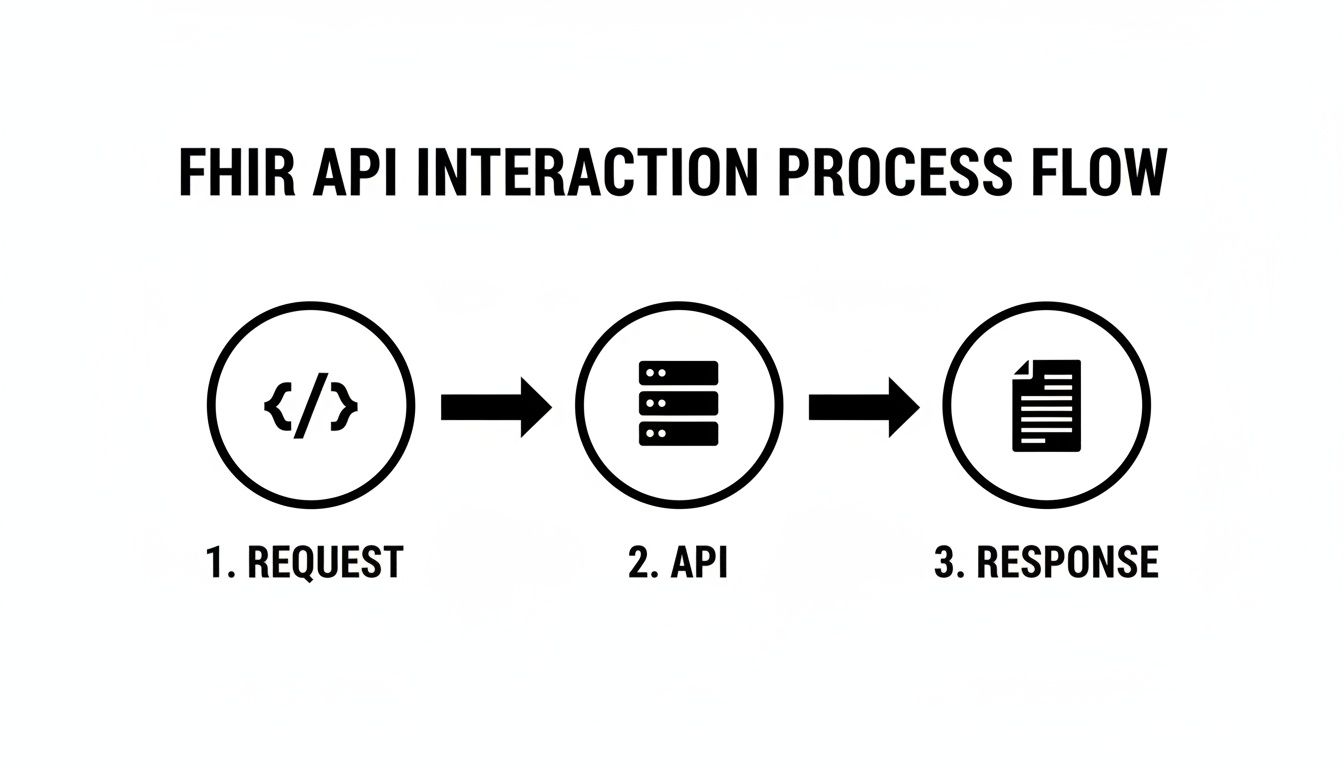
But the most critical work-data standardization-happens after that response comes back.
Translating Codes for OMOP Compatibility
Think of a vocabulary service, like the one offered by OMOPHub, as a powerful, real-time translator. It gives developers a way to take a non-standard code from a FHIR payload and programmatically find its correct, standardized counterpart required by OMOP.
Let’s say your application gets a FHIR Observation with a local code for "serum glucose." Instead of scratching your head, you can query the vocabulary API to find its corresponding standard LOINC concept ID. This mapping step is what makes true semantic interoperability possible, ensuring the data is consistent and ready for large-scale analysis. We dive deeper into the process of connecting these different terminologies in our guide to semantic mapping in healthcare.
A robust vocabulary service transforms raw FHIR data from a collection of disparate codes into a cohesive, research-grade dataset. It’s the engine that powers reliable ETL pipelines, turning diverse clinical information into standardized evidence.
A Practical Code Example with OMOPHub
Rather than trying to build and maintain massive, brittle mapping tables by hand, developers can use SDKs to automate the entire process. Here’s a quick conceptual example showing how you could enrich a FHIR Observation using the OMOPHub Python SDK.
from omophub.client import OMOPHubClient

# Initialize the client with your API key
client = OMOPHubClient(api_key="YOUR_API_KEY")

# A sample code from a FHIR Observation resource
local_lab_code = "GLUC-SERUM-123"
source_vocabulary = "LOCAL-LAB-CODES"

# Use the SDK to find the standard concept
try:
    standard_concept = client.vocabulary.lookup_concept(
        vocabulary_id=source_vocabulary,
        concept_code=local_lab_code
    )
    # The 'standard_concept' object now contains the OMOP-standard
    # LOINC concept ID, name, and other details.
    print(f"Mapped to OMOP Concept ID: {standard_concept.concept_id}")

except Exception as e:
    print(f"Could not map concept: {e}")
This kind of on-the-fly, automated lookup makes the entire ETL workflow faster, more reliable, and far less prone to human error.
Developer Tips for Vocabulary Mapping
- Explore the Tooling: Before you write a single line of code, play around with a visual tool like the OMOPHub Concept Lookup. It's a great way to get a feel for how different vocabularies relate to each other.
- Leverage the SDKs: For any serious production pipeline, use an SDK. OMOPHub provides official libraries for both Python (
omophub-python) and R (omophub-R) to make integration painless. - Handle Unmappable Concepts: Your code needs a plan for what to do when a standard concept isn't found. A good practice is to have it gracefully handle these cases, perhaps by flagging the concepts for manual review later.
5. Navigating Security and Compliance with the FHIR API

When an API is the gateway to protected health information (PHI), security stops being a feature and becomes the absolute foundation of the system. Any FHIR API implementation has to be built on a rock-solid base of authentication, authorization, and auditing to keep patient data safe. This isn't just best practice; it's a non-negotiable requirement.
The industry has coalesced around a specific framework to manage this: SMART on FHIR. It’s built on top of the battle-tested OAuth 2.0 protocol, giving applications a standard, predictable way to ask for-and receive-permission to access FHIR resources. This isn’t an all-or-nothing key to the kingdom. Instead, SMART on FHIR enforces scoped access, meaning an app only gets the specific data it needs, for exactly as long as it needs it.
Core Security Layers for FHIR
Getting a user logged in is just the first step. A truly secure FHIR environment requires a defense-in-depth strategy, where multiple security layers work in concert to protect data from every angle.
- Transport Layer Security (HTTPS): This is the most basic, yet most critical, layer. All communication with a FHIR API must be encrypted using HTTPS. It’s what prevents snooping and keeps data confidential as it travels between a client app and the server.
- Comprehensive Audit Trails: Regulations like HIPAA and GDPR are crystal clear on this: every single access to PHI must be logged. A compliant FHIR server has to keep a detailed, unchangeable record of who accessed what data, when they did it, and from where.
- Regulatory Compliance: Adhering to standards like HIPAA is table stakes. For any team working with PHI through a FHIR API, understanding HIPAA compliance audit costs is a crucial reality check for budgeting and ensuring your infrastructure can withstand an official review.
Trying to build this entire security and compliance stack from scratch is a massive engineering effort, fraught with risk. It's exactly why so many development teams opt for managed services where these essentials are already baked in.
A managed platform like OMOPHub takes this burden off your plate. It provides end-to-end encryption and immutable audit logs with a seven-year retention period out of the box. This lets developers get back to building their applications, knowing the infrastructure beneath them already meets strict enterprise and regulatory security standards.
The industry's direction is unmistakable. The 2026 Black Book Global Healthcare IT Survey found that 84% of health systems in fast-moving markets have already implemented tools like a secure FHIR API. Even more telling, 92% now consider FHIR/API interoperability a top-three priority for any new technology they buy, cementing its role as a core piece of modern, compliant health IT.
Advanced FHIR API Topics: Performance and Versioning
Once you get past the basics of making requests to a FHIR API, a couple of real-world challenges quickly pop up: performance and versioning. When you're dealing with massive amounts of health data, a sluggish query can bring your application to a crawl and drive up costs. At the same time, you have to navigate the different versions of FHIR out in the wild to keep everything compatible.
Getting a handle on these two areas is what separates a functional application from one that's truly scalable and built to last.
Optimizing FHIR API Performance
One of the most common performance traps is fetching an entire, massive FHIR resource when you only needed a couple of specific fields. All that extra data, or "over-fetching," bloats the size of the response and chews up bandwidth for no good reason. Thankfully, the FHIR specification has some elegant ways to solve this.
You can use the _summary and _elements parameters to tell the server exactly what you need. For instance, sending _summary=true gives you a pre-defined, "CliffsNotes" version of the resource with just the most important fields. If you need more control, _elements=name,birthDate lets you cherry-pick the exact fields you want in the response.
What about when you need to pull down entire datasets for analytics or to train an AI model? Making millions of individual API calls just isn't going to work. This is precisely why the FHIR Bulk Data API (often called Flat FHIR) exists. It’s built for high-throughput, asynchronous exports of huge patient populations, making it the go-to standard for any kind of population-level data extraction.
Managing FHIR Versioning
The FHIR standard isn't set in stone-it's constantly evolving. As you work with different systems, you'll run into various versions, most commonly R4, but you'll also see R4B and the newer R5. Each new version can introduce breaking changes, which makes managing versions absolutely critical for genuine interoperability.
The best practice here is to be explicit. Always declare which FHIR version your application is speaking by setting the Content-Type header in your HTTP requests. For example, adding application/fhir+json; fhirVersion=4.0 leaves no doubt about your intent. This simple step can save you from a world of pain when a server defaults to a version you weren't expecting.
Tips for Handling Versioning
- Check the Server's
CapabilityStatement: Before you even start building, make it a habit to inspect a FHIR server'sCapabilityStatementendpoint. This is a metadata document that acts like a blueprint, telling you exactly which FHIR versions, resources, and operations the server supports. - Abstract the Complexity: This is where tools can really help. Services like OMOPHub can handle a lot of this complexity for you. They can ensure high performance through things like global edge caching and manage the nitty-gritty of API endpoints, freeing up your team to focus on building the features that matter. For more technical deep dives, the OMOPHub documentation is a great resource.
Answering Common FHIR API Questions
Once you get your hands dirty with FHIR, a few common questions almost always pop up. Let's tackle some of the ones we hear most often from developers, because sorting these out early can save you a ton of time down the road.
What’s the Real Difference Between FHIR and HL7v2?
Think of HL7v2 as the reliable old workhorse of healthcare messaging. It’s been around forever, but its pipe-and-hat format (|...^...|) feels pretty archaic and usually demands custom, often brittle, parsers to make any sense of it.
FHIR, on the other hand, is its modern, web-native successor. It was built from the ground up for the internet age, using a standard RESTful API with easy-to-read JSON or XML. For any developer familiar with modern web services, FHIR just clicks. It’s predictable, well-documented, and far more intuitive to work with.
How Should I Deal With All the Different Coding Systems?
This is a big one. In the real world, you'll see a dozen different ways to code the same thing-SNOMED CT, ICD-10, LOINC, you name it. FHIR handles this chaos using the CodeableConcept data type, which is designed to hold codes from multiple systems.
The trick isn't just storing them; it's making sense of them. The best practice is to normalize this data as part of your ETL (Extract, Transform, Load) process. You need a solid terminology service to map all those disparate codes to a single, consistent standard your application understands, like the one used in the OMOP CDM.
You can see how this works in practice by checking out the OMOPHub SDKs for Python and R, which are built to simplify this exact vocabulary mapping challenge.
Pro Tip: Before diving into code, get a feel for the data relationships visually. A tool like the OMOPHub Concept Lookup lets you explore how different vocabularies connect. For a deeper technical dive, the OMOPHub documentation has you covered.
Can I Actually Use the FHIR API for Real-Time Clinical Decision Support?
Yes, and this is where FHIR really shines. The whole request-response nature of a REST API is perfect for real-time scenarios.
Imagine a clinical decision support (CDS) app integrated into an EHR. A doctor is about to prescribe a new medication. The app can fire off a quick FHIR API call to fetch the patient's current medication list, check for dangerous interactions, and display an alert-all in a fraction of a second. The low latency of modern FHIR servers makes these instant feedback loops a core and powerful use case.
Tired of wrestling with vocabulary management infrastructure? With OMOPHub, your team gets instant REST API access to standardized terminologies, so you can automate ETL pipelines and build faster with confidence. Explore the platform today.