What Is Clinical Decision Support in Modern Healthcare
 James Park, MS
Clinical Decision Support, often just called CDS, is less of a tool and more of an expert co-pilot for healthcare professionals. It's a layer of intelligence built into health IT systems that feeds clinicians the right information, at the right time, in the right way. The goal is to make a doctor's incredibly complex job just a little bit easier and a whole lot safer.
It’s about bringing critical, filtered knowledge directly to the point of care, just when a decision is being made.
The Role of CDS in Modern Medicine
Picture a primary care doctor seeing a patient with a long, complicated medical history. In a single 15-minute visit, the doctor has to juggle recent lab results, a list of current medications, the latest clinical guidelines for diabetes management, and the patient's known allergies. The cognitive load is immense. This is exactly the problem CDS is built to solve. It acts as an intelligent filter, cutting through the data chaos to surface the one or two things that truly matter in that moment.
CDS isn't just another piece of software cluttering up a screen. It's a foundational element of evidence-based medicine. It bridges the huge gap between the ever-expanding universe of medical knowledge and the practical, real-world application of that knowledge for a single patient.
Enhancing Patient Safety and Quality
One of the most powerful functions of CDS is its role as a digital safety net. It’s constantly working in the background to catch potential problems before they happen-flagging a dangerous drug-to-drug interaction, warning a doctor about a patient's penicillin allergy before they prescribe it, or simply reminding them that a patient is due for a routine cancer screening.
This proactive support delivers some pretty significant benefits:
- Improved Patient Safety: It actively minimizes adverse drug events and other medical errors by flagging risks in real-time.
- Enhanced Care Quality: CDS helps ensure care aligns with the latest evidence-based clinical guidelines, standardizing best practices.
- Increased Efficiency: It automates and streamlines routine tasks, like building multi-step medication orders, saving clinicians valuable time.
The industry has certainly taken notice. Clinical Decision Support Systems (CDSS) are one of the fastest-growing areas in health tech. In 2024, the global market was estimated to be worth between USD 2.25 billion and USD 5.79 billion. That number is expected to climb steeply through 2030, pushed by the relentless demand for better outcomes and safer care. You can find more detailed projections and market growth analysis on MarketsandMarkets.com.
At its core, CDS is about making the right thing to do, the easy thing to do. It integrates recommendations and alerts seamlessly into the clinical workflow, guiding decisions without disrupting the focus on the patient.
To really get a handle on how these systems work, it helps to look under the hood at their core components. Each piece has a specific job, working together to turn raw data into actionable intelligence.
Core Components of a Clinical Decision Support System
A typical CDS is not a single entity but a system of interconnected parts. Understanding these building blocks is key to appreciating how it all comes together.
| Component | Function | Example |
|---|---|---|
| Knowledge Base | This is the library of clinical rules, guidelines, and medical logic that the system runs on. | A rule stating that a patient with a GFR below 30 mL/min should not receive certain contrast dyes. |
| Inference Engine | The "brain" of the system. It processes a specific patient's data against the rules in the knowledge base to see if any apply. | It checks a patient's latest kidney function lab result against the rule about contrast dye before a CT scan is ordered. |
| Communication Mechanism | This is the user interface-how the system actually presents its findings to the clinician. | A pop-up alert appearing in the Electronic Health Record (EHR) as the clinician is placing the CT scan order. |
In short, the knowledge base holds the "what," the inference engine does the "thinking," and the communication mechanism handles the "telling." Together, they create a powerful loop that supports better, safer clinical decisions.
How Modern CDS Systems Actually Work
To really get what Clinical Decision Support is, you have to peek under the hood. Modern CDS systems aren't some kind of magic black box; they run on a surprisingly logical, three-part architecture. It’s a specialized information loop running constantly in the background of a clinical workflow, designed to turn raw patient data into actionable intelligence.
At their core, these systems stand on three essential pillars: a Knowledge Base, an Inference Engine, and a Communication Mechanism. Each one has a specific job, and they have to work together perfectly to get the right information to a provider at the right time.
The Three Pillars of CDS Architecture
First up is the Knowledge Base. This is the system's "brain." It's a carefully curated library of clinical rules, medical guidelines, and evidence-based logic. It’s where the expertise is codified-for example, a rule that says a certain chemotherapy drug requires a kidney function test from the last 48 hours.
Next, you have the Inference Engine, which is the "processor." This is the workhorse. It grabs a specific patient's live data from their electronic health record (EHR)-think recent lab results, current meds, known allergies-and compares it against the rules in the Knowledge Base. It’s constantly asking, "Does this patient's data trigger any of our rules?"
Finally, the Communication Mechanism acts as the "interface." Once the Inference Engine finds a match, this component is responsible for getting that insight to the clinician. It could be a pop-up alert, a highlighted lab value on a screen, or even a pre-filled order set that a doctor can review.
This flow chart shows how these pieces come together to turn data into a useful clinical insight.
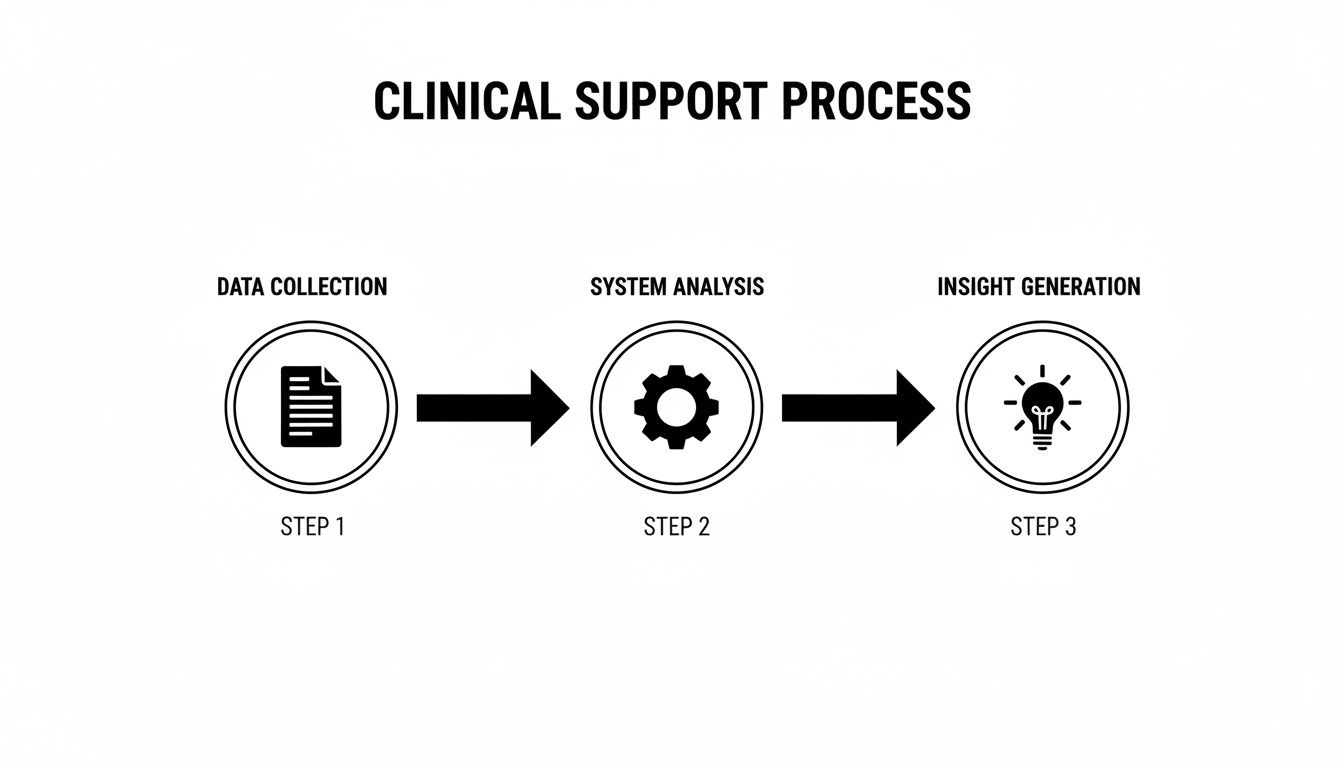
It’s this simple-sounding loop-from raw data to system processing to actionable insight-that powers every effective CDS tool out there.
The Critical Role of EHR Integration
For any of this to work in the real world, one thing is absolutely non-negotiable: deep, seamless integration with the Electronic Health Record (EHR). The best CDS tools feel like a natural part of the clinical workflow, not some clunky add-on that gets in the way.
When a doctor is ordering a new medication, the system needs to instantly check the patient’s record for potential conflicts without forcing the user to jump to another screen or re-enter information.
Getting that seamless connection is a massive technical hurdle. It demands a sophisticated grasp of data standards and how different systems talk to each other-a field known as interoperability. Without that tight integration, the CDS just becomes another obstacle, forcing clinicians to find workarounds and completely undermining its purpose.
This is exactly the problem that modern protocols like CDS Hooks were designed to solve. They allow external services to securely "hook" into the EHR workflow at just the right moments, making the delivery of insights both timely and contextually relevant.
A Tour of Common CDS Tools
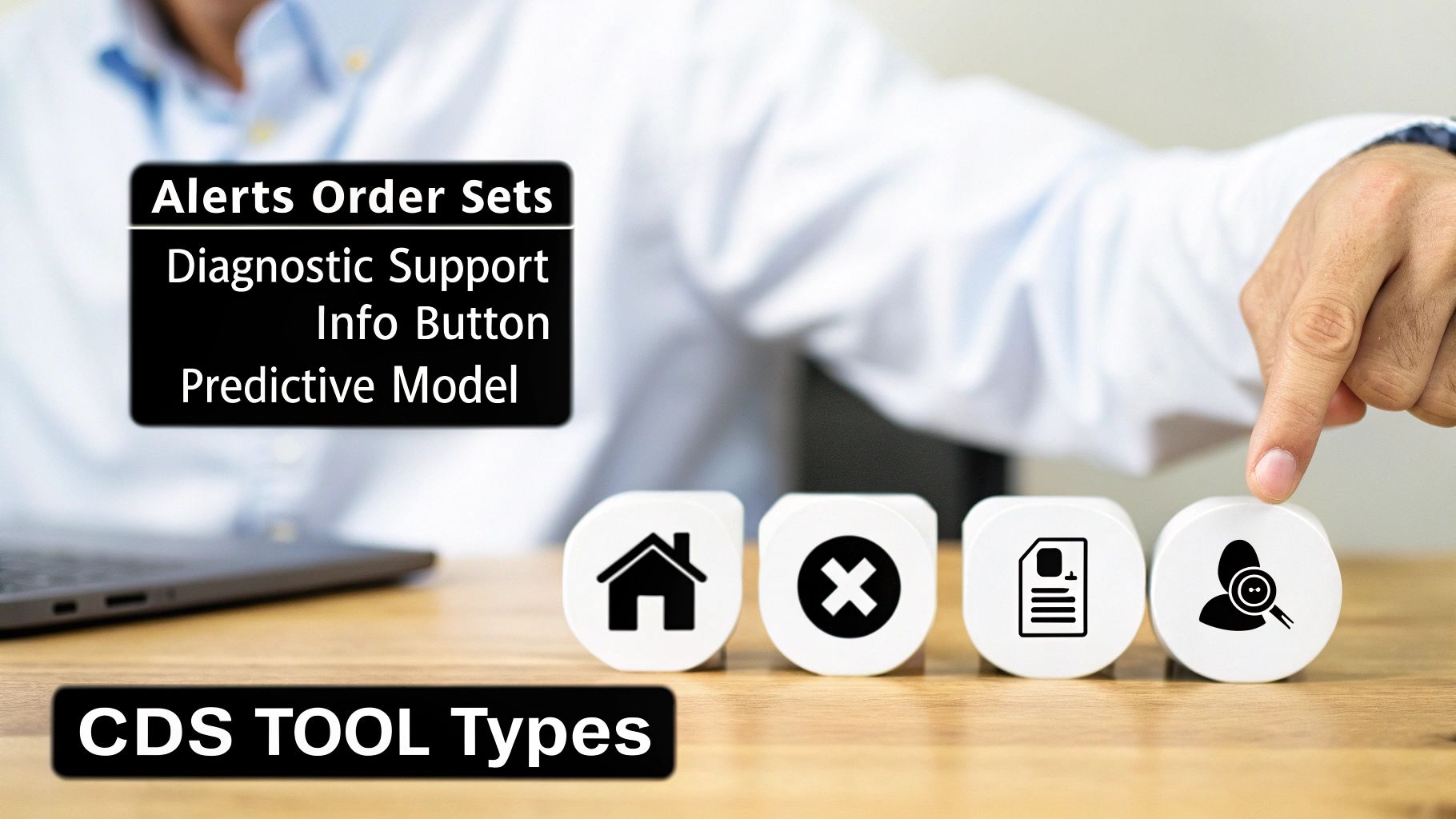
Clinical Decision Support isn't a single thing. It's more like a digital toolbox filled with different instruments, each designed for a specific job. Some are simple, like a wrench for a routine task, while others are complex diagnostic engines.
Thinking about CDS this way helps clear up a lot of confusion. When someone asks, "what is clinical decision support?" the real answer depends on which tool you're talking about. They all aim to get the right information to the right person at the right time, but they go about it in vastly different ways.
Essential Alerts and Reminders
This is the classic form of CDS-the one most people picture. These tools are the system’s early-warning signals, designed to interrupt a workflow just long enough to flag a potential problem. Think of them as a digital colleague tapping you on the shoulder.
- Drug-Drug Interaction Alerts: A doctor prescribes a new medication, and an alert pops up, warning that it could have a dangerous interaction with another drug the patient is already taking.
- Allergy Alerts: A clinician tries to order a penicillin-based antibiotic for a patient with a known penicillin allergy. A hard-stop alert appears, preventing a potentially life-threatening error. For this to work, the system needs to understand medication codes, which is why developers often need tools to perform an NDC code lookup to map drugs correctly.
- Preventive Care Reminders: These are softer, often passive nudges that a patient is due for a routine screening, like a mammogram or a colonoscopy.
Standardized Order Sets
Order sets are all about embedding best practices directly into the workflow. They are pre-built collections of orders-labs, medications, imaging-for a specific condition or procedure. They don't just save clicks; they drive consistency and reduce clinical variability.
Take a patient admitted with sepsis. A well-designed sepsis order set instantly presents the clinician with the critical first steps: specific lab draws, IV fluid orders, and first-line antibiotic choices. This ensures every patient gets a rapid, evidence-based response, which can be life-saving in such a time-sensitive scenario.
Powerful Diagnostic Support
Now we’re moving into more sophisticated territory. Diagnostic support tools act like a digital consultant, helping clinicians piece together a complex puzzle. They analyze a patient's symptoms, lab values, and history to generate a ranked list of possible diagnoses.
Imagine a patient in the ER with a confusing mix of symptoms. The physician can input the findings, and the CDS tool might analyze the free-text notes and structured data to suggest a rare condition the doctor hadn't even considered.
These systems are not meant to replace a clinician's judgment. They're cognitive aids, designed to broaden the differential diagnosis and reduce the risk of missing something important, especially in complex or unusual cases.
Advanced Predictive Models
At the top of the complexity pyramid are predictive models. These tools use machine learning to sift through massive datasets, finding subtle patterns that predict future events. This is where CDS shifts from reacting to problems to actively anticipating them.
- Patient Deterioration: In an ICU, an algorithm continuously monitors a patient’s vital signs, lab results, and ventilator settings. It might flag a patient as having a high probability of developing acute respiratory distress syndrome (ARDS) hours before the classic symptoms become obvious.
- Readmission Risk: When a patient is discharged, a model can calculate their risk of being readmitted within 30 days. This flags high-risk individuals for more intensive follow-up, like a home health visit or a call from a care manager.
This kind of foresight represents a massive leap forward. Instead of just managing crises, predictive models allow care teams to prevent them from happening in the first place.
To better understand how these tools fit into clinical practice, the table below breaks down their primary function, a typical use case, and how they deliver information to the user.
Comparison of CDS Tool Types
| CDS Type | Primary Function | Example Use Case | Intervention Style |
|---|---|---|---|
| Alerts & Reminders | Flagging potential safety issues or care gaps | Warning of a potential drug allergy before prescribing | Interruptive (pop-up) or Passive (notification) |
| Order Sets | Standardizing care based on evidence | Bundling initial tests and treatments for sepsis | Workflow Integration |
| Diagnostic Support | Aiding in differential diagnosis | Suggesting possible causes for complex patient symptoms | Consultative (on-demand) |
| Predictive Models | Forecasting future health events | Calculating a patient's 30-day hospital readmission risk | Proactive (risk score/flag) |
Each of these categories plays a distinct role. A well-rounded CDS strategy doesn't rely on just one type but deploys a combination of tools to support clinicians across the entire spectrum of care.
The Data Standards That Power Intelligent CDS
A Clinical Decision Support system is only as good as the data it can understand. For a CDS tool to do its job-whether that’s flagging a dangerous drug interaction or suggesting a possible diagnosis-it needs to speak the universal language of healthcare. This all comes down to a solid foundation of data standards and shared vocabularies.
Without them, healthcare data is a mess. It's like trying to build a coherent story from a stack of books written in a dozen different, undocumented dialects. A CDS system would be completely lost, unable to figure out that "heart attack," "MI," and "myocardial infarction" all refer to the same clinical event unless they're tied to a single, underlying concept. This is where modern interoperability standards make all the difference.
The Language of Interoperability
Today’s healthcare ecosystem is a complex web of systems that absolutely must communicate with each other. Standards like Fast Healthcare Interoperability Resources (FHIR) create a common grammar for exchanging health information, while protocols like CDS Hooks let external applications plug directly into a clinician's workflow at just the right moment.
This powerful combination means a specialized third-party service-say, an advanced oncology tool-can integrate seamlessly with a hospital’s main EHR. When a doctor opens a specific patient’s chart, the EHR can send out a signal (a "hook"). The external CDS service can then instantly respond with timely, relevant insights displayed as a simple "card" right on the clinician's screen.
But for the logic inside that CDS service to fire correctly, the data itself has to be standardized with controlled terminologies.
Why Standard Vocabularies Are Essential
Shared vocabularies are the dictionaries that give raw data its meaning. They assign a single, universally understood code to every diagnosis, medication, lab test, and procedure imaginable. For building reliable CDS rules, this level of precision isn't just nice to have-it's non-negotiable.
- SNOMED CT: The big one. This is the most comprehensive clinical terminology out there, covering diagnoses, symptoms, and clinical findings. A CDS rule designed to identify patients with "diabetes mellitus" can rely on a single SNOMED CT code to catch every relevant variation in the patient record.
- LOINC: This standard is all about identifying lab tests and clinical observations. If you want a rule to trigger when a patient's potassium level is critically high, you need the right LOINC code to find that specific lab result, no matter what the local lab decided to call the test.
- RxNorm: This vocabulary brings order to the chaos of drug names. It's the key to building accurate drug-drug interaction alerts because it links brand names, generics, and active ingredients back to a common identifier.
The widespread adoption of these standards is a huge driver of the industry's growth. North America, for example, holds a dominant position in the global CDSS market, accounting for over 43% of total revenue in 2024. This is largely thanks to a mature healthcare infrastructure and government-led pushes for health IT adoption, which you can read more about in this CDSS market breakdown on GrandViewResearch.com.
The Vocabulary Mapping Bottleneck
The real-world challenge isn't a lack of standards; it's the painstaking work of mapping messy, local data to those standards. A hospital’s system might contain thousands of internal, proprietary codes for lab tests or billing diagnoses that are meaningless to an external CDS service.
Translating these local codes into standard terminologies like SNOMED or LOINC is a slow, error-prone, but absolutely critical step. This mapping effort is often the single biggest bottleneck in any CDS or data analytics project. You can dive deeper into the complexities of structuring data for analysis by understanding the fundamentals of the OMOP Common Data Model.
Vocabulary mapping is the foundational ETL (Extract, Transform, Load) work that makes clinical data usable for anything advanced. Getting it right is the difference between a CDS tool that works and one that fails silently.
This is exactly the kind of friction that developer platforms like OMOPHub are built to eliminate. Instead of forcing your team to download, host, and constantly update massive vocabulary databases, OMOPHub gives you instant API access to the latest OHDSI ATHENA vocabularies. This completely changes the mapping game.
For instance, a developer building a CDS rule needs to find the standard concept ID for "Type 2 diabetes." The old way involved writing complex SQL queries against a clunky local database. The new way is a simple API call.
Here’s a quick Python snippet using the omophub-python SDK to find the standard SNOMED concept for "Type 2 diabetes mellitus" and its ID. Find more examples in the official SDK repository.
import omophub

# Configure your API key
omophub.api_key = "YOUR_API_KEY"

try:
    # Search for the concept
    concepts = omophub.Concept.search(
        query="Type 2 diabetes mellitus",
        vocabulary_id=["SNOMED"],
        standard_concept="S"  # Filter for standard concepts only
    )

    if concepts:
        # Get the first result (most relevant)
        t2dm_concept = concepts[0]
        print(f"Found Standard Concept: '{t2dm_concept.concept_name}'")
        print(f"Concept ID: {t2dm_concept.concept_id}")
        print(f"Vocabulary: {t2dm_concept.vocabulary_id}")
    else:
        print("Concept not found.")

except omophub.errors.APIError as e:
    print(f"An API error occurred: {e}")
This clean, programmatic approach turns a major data preparation headache into a minor task, freeing up developers to focus on what actually matters: building the CDS logic itself. You can find more examples and explore all the available endpoints in the official OMOPHub documentation.
Implementing CDS That Clinicians Will Actually Use
Building a technically brilliant clinical decision support tool is only half the battle. The real test is getting it to work in the chaotic reality of a hospital or clinic. Even the most sophisticated algorithm will fail if clinicians see it as just another pop-up to close or an administrative hoop to jump through.
For a CDS tool to succeed, it has to earn a clinician's trust. They need to see it as a genuine ally-something that makes their job easier and patient care safer, not just another source of noise. This means shifting the focus from the code to the user, designing with empathy for the person on the other side of the screen.

Tackling the Challenge of Alert Fatigue
One of the biggest hurdles is alert fatigue. When clinicians are constantly bombarded with low-value, irrelevant, or repetitive notifications, they develop a habit of clicking "ignore"-even on the critical warnings that could prevent a serious medical error. It's a classic "boy who cried wolf" problem, and some studies show alert override rates can be as high as 95%, effectively neutering the entire system.
The solution isn't to just turn alerts off. It's about being smarter and more strategic, ensuring that every interruption is truly meaningful.
Here are a few proven ways to do that:
- Tiered Alerting: Not all warnings are created equal. You need to distinguish between a "hard stop" for a life-threatening allergy and a "soft" informational nudge that doesn't halt the workflow.
- User Customization: Giving clinicians some control can go a long way. Allowing them to personalize non-critical reminders makes them far more likely to pay attention to the ones that really matter.
- Refining the Logic: Look at the data. Which alerts are being overridden most often? This is your roadmap for fixing rules that are too sensitive, poorly timed, or just plain wrong.
A Governance Framework: The Five Rights of CDS
To keep CDS guidance helpful instead of distracting, many organizations lean on the "Five Rights of CDS." It’s a simple but powerful framework that works like a pre-flight checklist for designing and governing any new tool.
The core idea is to deliver:
- The Right Information (evidence-based, relevant to the immediate task)
- To the Right Person (the specific clinician, patient, or care team member who needs it)
- In the Right Intervention Format (is this an alert, an order set, or an info button?)
- Through the Right Channel (the EHR, a mobile app, the patient portal)
- At the Right Time (smack in the middle of the decision-making process)
Following this framework forces the implementation team to think deeply about the context of care. It’s the difference between a tool that gets adopted and one that gets ignored.
The Importance of Testing and Monitoring
You should never roll out a CDS tool without first putting it through its paces in a simulated clinical environment. This is where you catch the logic errors and usability nightmares before they can affect a real patient. But the job isn't done when you flip the switch.
Once a CDS tool goes live, you have to watch it like a hawk. Continuous performance monitoring is non-negotiable for understanding its real-world impact.
Critical Monitoring Activities:
- Measure Impact: Are you actually moving the needle? Track metrics like guideline adherence rates or the frequency of adverse events the tool was built to prevent.
- Analyze User Interaction: Keep a close eye on alert acceptance and override rates. This will tell you exactly which parts of the system are working and which are causing friction.
- Maintain Audit Trails: You need detailed, unchangeable logs of every CDS interaction-when it fired, what it showed, and what the user did next. This isn't just for quality improvement; it’s essential for patient safety investigations and compliance.
By treating implementation as a continuous cycle of refinement, not a one-and-done project, you can build CDS tools that clinicians don't just tolerate, but actively rely on to deliver safer, smarter care.
The Future of CDS With AI and Predictive Analytics
The next chapter for clinical decision support is already being written, and it’s a big departure from the static, "if-then" rules we've relied on for years. We're moving into the much more dynamic world of artificial intelligence and predictive analytics. This isn't just an upgrade; it's a fundamental shift from systems that react based on pre-programmed logic to ones that actually learn from data and anticipate what might happen next.
The goal here is to get ahead of the curve, providing proactive, personalized guidance that was simply out of reach before. Instead of just flagging a known drug interaction, an AI-powered CDS can sift through thousands of data points-even unstructured text in clinical notes-to pick up on subtle patterns that hint at risk. This opens the door to a whole new class of capabilities that redefine what clinical decision support can do.
From Reactive Rules to Proactive Predictions
This new generation of CDS is built on machine learning (ML) models trained on massive, real-world clinical datasets. The real power of these models is their knack for finding complex correlations that would be invisible to a human analyst or a simple rules-based system.
Here are a few powerful examples of this shift in action:
- Sepsis Prediction: An ML algorithm can continuously monitor a patient's vitals, lab results, and nursing notes to predict the onset of sepsis hours before the classic symptoms appear. That head start can be life-saving.
- Personalized Care Plans: By using Natural Language Processing (NLP) to scan a patient's entire record, a system can identify social determinants of health-like mentions of food insecurity or lack of transportation-and help care teams build more realistic and effective treatment plans.
- Readmission Risk: When a patient is discharged, a model can analyze hundreds of variables to generate a precise readmission risk score. This allows hospitals to flag high-risk individuals for targeted follow-up care, preventing a costly and disruptive return trip.
This leap to predictive analytics isn't just about making existing CDS better; it's about asking entirely new questions. We're moving from "Does this drug conflict with another?" to "What is the probability this patient will develop a complication in the next 12 hours?"
The Unbreakable Link to Standardized Data
There’s a catch, of course. The accuracy, fairness, and reliability of any clinical AI model depend entirely on the quality of the data it was trained on. If you feed it biased, incomplete, or messy data, you’ll get biased and unreliable predictions. It's that simple. This is why standardized, well-mapped vocabularies are more critical now than ever before.
Just think about the first step in building a predictive model: creating a patient cohort. Finding all patients with a specific type of heart failure, for instance, requires mapping dozens of local, non-standard diagnosis codes to a single, universally understood concept.
This is where platforms like OMOPHub provide the vocabulary plumbing needed to get the job done right. They ensure the data used for training AI is clean, consistent, and accurately mapped. This not only speeds up development but also helps produce models that are both effective and equitable.
Here’s a quick R code snippet using the omophub-R SDK. It shows a common first step in building a training cohort: finding the standard concept for "Congestive heart failure." You can find more examples by visiting the official omophub-R repository on GitHub.
# Make sure to install the SDK first: install.packages("omophub")
library(omophub)

# Set your OMOPHub API key
Sys.setenv(OMOPHUB_API_KEY = "YOUR_API_KEY")

tryCatch({
  # Search for the standard SNOMED concept for 'Congestive heart failure'
  concepts <- search_concepts(
    query = "Congestive heart failure",
    vocabulary_id = c("SNOMED"),
    standard_concept = "S"
  )

  # Print the first and most relevant result
  if (length(concepts) > 0) {
    chf_concept <- concepts[[1]]
    cat(sprintf("Found Standard Concept: '%s'\n", chf_concept$concept_name))
    cat(sprintf("Concept ID: %d\n", chf_concept$concept_id))
    cat(sprintf("Vocabulary: %s\n", chf_concept$vocabulary_id))
  } else {
    cat("Concept not found.\n")
  }

}, error = function(e) {
  cat(sprintf("An error occurred: %s\n", e$message))
})
Common Questions About Clinical Decision Support
When you start digging into Clinical Decision Support, a few key questions always pop up, whether you're a developer, a clinician, or a health IT leader. Let's tackle some of the most frequent ones.
What’s the Difference Between Active and Passive CDS?
The real difference comes down to one thing: interruption.
Active CDS is designed to stop you in your tracks. Think of it as a hard stop in the workflow. A classic example is the pop-up alert that fires when you try to prescribe a medication to a patient with a known, life-threatening allergy. It demands you pay attention right now before you proceed.
Passive CDS, on the other hand, works quietly in the background. It offers up helpful information without forcing a break in your workflow. For instance, it might display a relevant order set for a specific diagnosis off to the side of the screen. You can use it if you want, but you can also ignore it.
How Do You Actually Measure the ROI of a CDS System?
Measuring the return on a CDS investment is a two-sided coin: you have to look at both the clinical impact and the financial benefits. A system that doesn't deliver on both isn't really succeeding.
-
Clinical Metrics: This is all about better patient outcomes. Are we seeing fewer adverse drug events? Are clinicians sticking closer to evidence-based guidelines? Have we lowered our rates of hospital-acquired infections?
-
Financial Metrics: This side tracks the money saved. Has the average length of stay for certain conditions dropped? Are fewer patients being readmitted within 30 days? Are we using expensive medications and imaging tests more appropriately?
A great CDS system has to prove its worth in both columns. It must make patient care safer and more effective, but it also has to help the organization's bottom line by cutting down on expensive mistakes and wasted resources.
What Are the Toughest Hurdles in Building CDS?
Getting CDS right means clearing some significant technical, clinical, and even cultural hurdles.
The biggest showstopper is almost always data quality and interoperability. A brilliantly designed CDS rule is completely useless if it can't get its hands on clean, standardized, and reliable data from the EHR. Garbage in, garbage out.
Then there's the clinical challenge: writing rules that are genuinely helpful. You need rules that are specific enough to be meaningful but not so trigger-happy that they overwhelm clinicians with constant, low-value alerts. Striking that balance is tough and is the root cause of alert fatigue.
Finally, you can't ignore the people problem. You need to get clinicians to actually buy into the new tool and be willing to adapt their workflows. Without that buy-in, even the best technology will fail.
Tired of wrestling with vocabulary mapping? OMOPHub can help you accelerate your CDS development. Our developer-first platform gives you instant API access to standardized terminologies, taking the infrastructure headache off your plate so your team can focus on building. See how OMOPHub works.