Mastering NDC Code Lookup a Developer's Guide
 Robert Anderson, PhD
An effective NDC code lookup is the first step in turning a simple National Drug Code into a rich source of clinical and administrative information. For anyone working in healthcare data, this isn't just a technical task-it's a foundational skill crucial for everything from processing claims to powering clinical research.
Why Accurate NDC Lookups Are Critical for Health Data
For data engineers and clinical informaticiants, the National Drug Code (NDC) is far more than just a string of numbers. It’s the essential link between a physical drug product sitting on a pharmacy shelf and its digital footprint in claims data, electronic health records (EHRs), and research databases. An accurate NDC code lookup strategy is the bedrock of any reliable pharmaceutical data analysis.
Without a solid process, data pipelines can quickly get gummed up with inconsistencies. I’ve seen countless ETL (Extract, Transform, Load) workflows grind to a halt because of malformed, deprecated, or just plain wrong NDCs pulled from raw data feeds. These errors create massive downstream problems, corrupting everything from financial reporting to the selection of patient cohorts for clinical trials.
The Role of NDCs in Healthcare Data
At its core, the NDC is a unique identifier assigned by the FDA to all finished drug products in the U.S., covering both prescription and over-the-counter medications. The official FDA National Drug Code Directory is the primary source of truth, and its daily updates are vital for keeping healthcare systems current.
The standard 11-digit NDC format is structured as 5-4-2, where each segment provides a specific piece of information.
Here’s a quick breakdown of what each part of an 11-digit NDC means:
| Segment | Digits | Description | Assigned By |
|---|---|---|---|
| Labeler Code | First 5 | Identifies the manufacturer, repacker, or distributor. | FDA |
| Product Code | Middle 4 | Identifies the specific strength, dosage form, and formulation. | Labeler |
| Package Code | Last 2 | Identifies the package size and type. | Labeler |
This granular structure is what makes the NDC so powerful. This is why a reliable lookup process is non-negotiable for several key functions:
- Claims Adjudication: Payers use NDCs to verify exactly which drug was dispensed before reimbursing a claim.
- Quality Reporting: Programs like HEDIS depend on NDCs to track medication adherence and other critical quality measures.
- Clinical Research: Researchers map NDCs to standardized vocabularies to analyze drug efficacy and safety across huge populations.
For anyone working within the OMOP Common Data Model, mastering the NDC lookup is table stakes. It's the very first step in translating raw drug exposure data into the standardized concepts required for network studies and reproducible research.

Manual searches are fine for one-off checks, but the sheer volume and complexity of this data make programmatic solutions a necessity for any real-world application.
Overcoming Common Lookup Challenges
One of the most persistent hurdles is mapping NDCs to a standardized terminology like RxNorm. It's a classic apples-to-oranges problem. An NDC identifies a specific package, while RxNorm provides a normalized vocabulary that groups drugs by their active ingredients, brand names, and dose forms. This mapping is what unlocks powerful, large-scale analytics.
Trying to manage these mappings with local vocabulary databases is a nightmare. It’s cumbersome, error-prone, and eats up valuable engineering resources just to keep things current.
This is where modern, API-driven approaches, like those offered by platforms such as OMOPHub, really shine. Instead of wrestling with database updates and version control, developers can perform lookups and mappings with simple API calls. This ensures you’re always working with the latest, most accurate data. This shift from local maintenance to on-demand access is a game-changer for building scalable and reliable healthcare applications.
Performing NDC Lookups Programmatically
Manually plugging NDCs into a browser search bar is fine for a one-off check, but it completely breaks down in a real-world production environment. When you’re dealing with thousands-or even millions-of drug records, you absolutely need an automated, programmatic approach.
Adopting an API-first strategy for your NDC code lookup is the only practical way to scale. It frees you from the massive operational headache of hosting and maintaining local vocabulary databases, which are a constant struggle to keep up-to-date. Instead of wrestling with complex SQL queries against a database that's probably already stale, you just send a simple request and get a clean, structured JSON response. This is precisely where tools like the OMOPHub SDKs for Python and R, or a standard REST client in TypeScript, become indispensable.
Getting Started with the OMOPHub Python SDK
For most data engineers and scientists, Python is the language of choice. The OMOPHub Python SDK makes integrating vocabulary lookups into your existing scripts and applications feel natural. It handles all the messy HTTP request details behind the scenes so you can just focus on your data.
First things first, you’ll need to install the SDK and get it configured with your API key. Please, don't hardcode your keys in source code. Use environment variables or a proper secrets manager.
# Best practice: Load your API key from environment variables
import os
from omophub.client import Client

# Configure the client with your API key
client = Client(api_key=os.getenv("OMOPHUB_API_KEY"))

# Perform a lookup for a specific NDC
try:
    # Find a concept by its code within the 'NDC' vocabulary
    ndc_concept = client.concepts.get_by_code(
        concept_code="0006-0114-54",
        vocabulary_id="NDC"
    )
    # The response is a Pydantic model, which is super easy to work with
    print(f"Concept Name: {ndc_concept.concept_name}")
    print(f"Concept ID: {ndc_concept.concept_id}")
    print(f"Vocabulary: {ndc_concept.vocabulary_id}")

except Exception as e:
    print(f"An error occurred: {e}")

# Expected Output:
# Concept Name: Lipitor 10 MG Oral Tablet
# Concept ID: 19075738
# Vocabulary: NDC
Pro Tip: This simple snippet does a ton of heavy lifting. It takes a raw NDC and instantly enriches it with a standardized name and its unique concept ID, making it ready for the next stage of your ETL pipeline. To keep up with new features, you can always check out updates like the recent OMOPHub Python SDK release notes. You can explore the full capabilities of this endpoint in the OMOPHub API documentation.
Performing Lookups with the OMOPHub R SDK
Many clinical researchers and biostatisticians live and breathe R. The OMOPHub R SDK provides the exact same power, just tailored for the R ecosystem. The setup process is just as straightforward: install the package and set your API key.
# Install the OMOPHub SDK if you haven't already
# install.packages("omophub")

library(omophub)

# Set the API key from an environment variable for security
Sys.setenv(OMOPHUB_API_KEY = "your_api_key_here")

# Initialize the client
client <- Client$new()

# Perform the NDC code lookup
ndc_code_to_find <- "0006-0114-54"
result <- client$concepts$get_by_code(
  concept_code = ndc_code_to_find,
  vocabulary_id = "NDC"
)

# Print the results from the list
print(paste("Concept Name:", result$concept_name))
print(paste("Concept ID:", result$concept_id))
The R example gets you to the same place as the Python one, which highlights a major benefit of an API-driven workflow: consistency. It's a lifesaver for teams that rely on a mix of programming languages for their analysis.
Using a REST Client in TypeScript
If you're a web developer or building a backend with Node.js, you don't even need a dedicated SDK. You can hit the API directly with any standard REST client, like axios in a TypeScript project. This gives you total flexibility and works in any language that can make an HTTP request.
Here’s how you could run the same NDC code lookup by making a direct GET request to the OMOPHub API endpoint.
import axios from 'axios';

// A simple function to look up an NDC concept
async function findNdcConcept(ndcCode: string): Promise<void> {
  const apiKey = process.env.OMOPHUB_API_KEY;
  if (!apiKey) {
    console.error("API key is not set.");
    return;
  }

  const url = `https://api.omophub.com/v1/concepts/lookup`;

  try {
    const response = await axios.get(url, {
      headers: {
        'Authorization': `Bearer ${apiKey}`,
        'Content-Type': 'application/json'
      },
      params: {
        vocabulary_id: 'NDC',
        concept_code: ndcCode
      }
    });

    const concept = response.data;
    console.log(`Successfully found concept: ${concept.concept_name}`);
    console.log(`Details:`, concept);

  } catch (error) {
    if (axios.isAxiosError(error)) {
      console.error("API request failed:", error.response?.data);
    } else {
      console.error("An unexpected error occurred:", error);
    }
  }
}

// Example usage
findNdcConcept("0006-0114-54");
Pro Tip: When you're working directly with an API, solid error handling is non-negotiable. Network hiccups, an invalid API key, or a code that doesn't exist will all cause a request to fail. Your code needs to be smart enough to gracefully handle a
404 Not Foundor a401 Unauthorizedresponse so your entire application doesn't crash.
This TypeScript example pulls back the curtain on the underlying RESTful service. By sending vocabulary_id and concept_code as parameters, you can query exactly what you need. The JSON object you get back gives you immediate access to structured, reliable drug information, letting you sidestep brittle web scraping or error-prone manual entry for good.
Mapping NDCs to Standard Clinical Vocabularies
Pulling up an NDC programmatically is a solid technical achievement, but it’s really just the first step. The real analytical power gets unlocked when you connect that code to a much broader clinical context. Think of it as translating a specific product barcode into a universally understood language. Mapping National Drug Codes to a standardized vocabulary like RxNorm is the bridge that turns raw pharmaceutical data into something you can actually analyze at scale.
For anyone working in the OMOP Common Data Model, this isn't just a "nice-to-have"-it's a core principle. An NDC points to a very specific thing: one product package from one manufacturer. That’s great for billing or inventory, but it’s often way too granular for clinical research.
A researcher isn't usually asking, "How many patients got the 90-count bottle of 20mg Lipitor from Pfizer?" They're asking, "How many patients are on atorvastatin?" Answering that bigger question means you have to group potentially hundreds of different NDCs under a single ingredient concept.
This is where a robust, API-driven workflow comes into play. It allows different parts of your analytics stack-maybe a Python script for data processing and an R environment for statistical analysis-to talk to the same source of truth for vocabulary mapping.
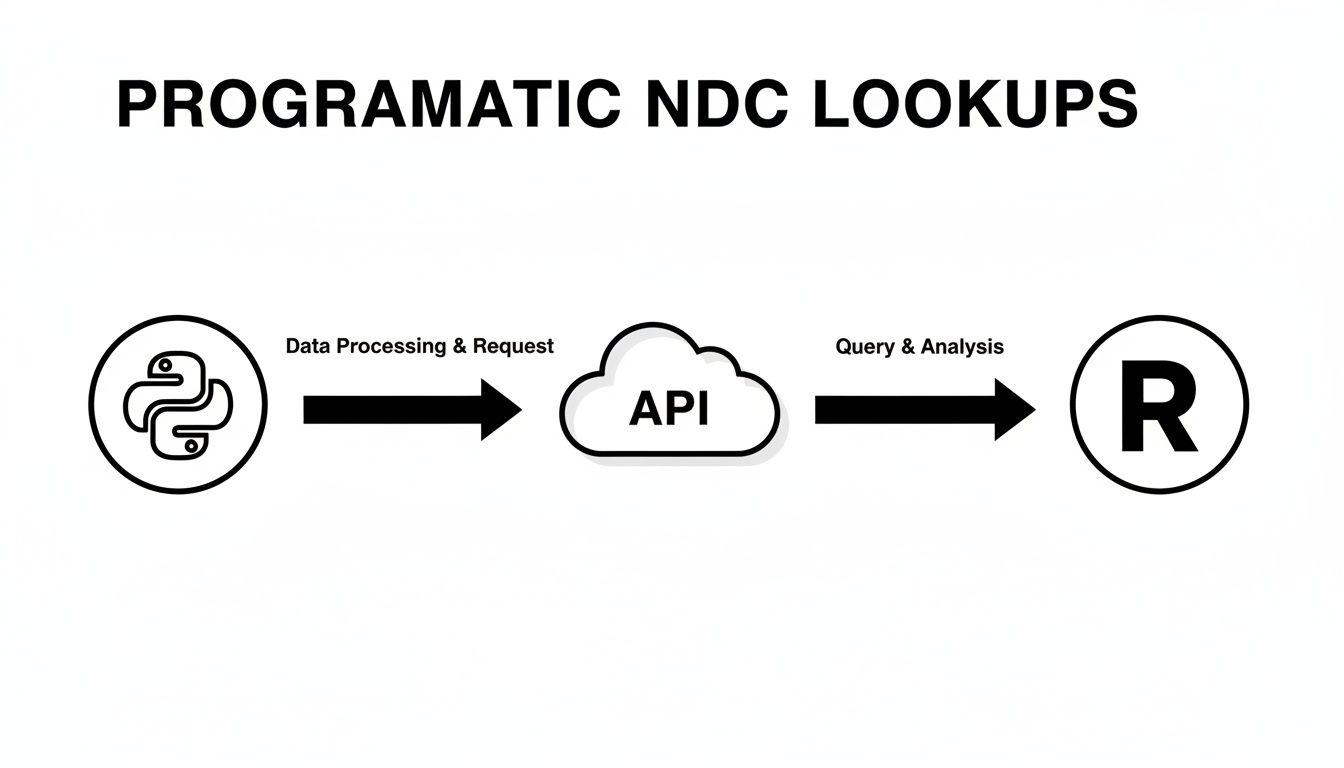
The API acts as a central translator, ensuring that no matter which tool you're using, the mapping from a specific NDC to a general clinical concept is consistent and reliable.
Why RxNorm is the Gold Standard for Mapping
RxNorm, which comes from the National Library of Medicine (NLM), is the industry benchmark for this kind of work. It’s a normalized naming system for clinical drugs, organizing them into a clear hierarchy based on active ingredient, strength, and dose form. This elegant structure is what makes serious clinical analytics possible.
When you map an NDC to its corresponding RxNorm Concept Unique Identifier (RxCUI), you’re not just getting a new ID. You’re plugging that NDC into a rich web of clinical information. You can immediately find:
- The drug's active ingredient(s)
- The brand name and all its generic equivalents
- The precise clinical drug form (like "Oral Tablet" versus "Injectable Solution")
- Every other NDC that represents the same clinical drug
This ability to navigate between related concepts is absolutely critical. Without it, you could easily miss patients taking the same medication sold under a different brand or in a different package size. That kind of oversight can completely invalidate your research findings.
Traversing Vocabulary Relationships in Python
Let's make this tangible. We'll use the OMOPHub Python SDK to take a specific NDC for Lipitor (0071-0156-23) and find its core ingredient. This isn't a single lookup; it's a "hop" across the vocabulary graph.
First, we need to find the starting point-the initial concept for our NDC. Then, we find its relationships.
import os
from omophub.client import Client

# Always a good practice to handle API keys as environment variables
client = Client(api_key=os.getenv("OMOPHUB_API_KEY"))

try:
    # Start with our specific NDC code
    ndc_concept = client.concepts.get_by_code(
        concept_code="0071-0156-23",
        vocabulary_id="NDC"
    )
    print(f"Found NDC Concept: '{ndc_concept.concept_name}' (ID: {ndc_concept.concept_id})")

    # Now, let's find where this NDC maps to in other vocabularies
    # We only care about the relationship that maps it to RxNorm
    relationships = client.concepts.get_relationships(
        concept_id=ndc_concept.concept_id,
        relationship_id='Maps to'
    )

    if relationships:
        rxnorm_concept_id = relationships[0].concept_id_2
        print(f"Maps to RxNorm Concept ID: {rxnorm_concept_id}")

        # Now find the ingredient for the RxNorm concept
        rxnorm_relationships = client.concepts.get_relationships(
            concept_id=rxnorm_concept_id,
            relationship_id='RxNorm has ing' # 'ing' is short for ingredient
        )

        if rxnorm_relationships:
            ingredient_concept_id = rxnorm_relationships[0].concept_id_2
            ingredient_concept = client.concepts.get(concept_id=ingredient_concept_id)
            print(f"Found Ingredient: '{ingredient_concept.concept_name}'")

except Exception as e:
    print(f"An error occurred during the lookup: {e}")
And there it is. In just two hops, we went from a package-level code to its core chemical entity: "Atorvastatin." That's the piece of information a researcher actually needs. You can explore all the different relationship types in the OMOPHub API documentation.
Mapping NDCs with the OMOPHub R SDK
Many research and data science teams live in R. The process is exactly the same conceptually, which is a huge benefit of working with a well-designed API. Here's how you'd perform the same multi-hop lookup using the OMOPHub R SDK.
# First, make sure you have the OMOPHub library installed
# install.packages("omophub")
library(omophub)

# Set your API key securely; avoid hardcoding it in scripts
Sys.setenv(OMOPHUB_API_KEY = "your_api_key_here")
client <- Client$new()

# The same Lipitor NDC code
ndc_code <- "0071-0156-23"

tryCatch({
  # Step 1: Find the initial concept for the NDC
  ndc_concept <- client$concepts$get_by_code(concept_code = ndc_code, vocabulary_id = "NDC")

  # Step 2: Get its relationships to find the RxNorm mapping
  relationships <- client$concepts$get_relationships(
    concept_id = ndc_concept$concept_id,
    relationship_id = 'Maps to'
  )

  # Step 3: Get the RxNorm concept ID
  if (length(relationships) > 0) {
    rxnorm_concept_id <- relationships[[1]]$concept_id_2

    # Step 4: Get the relationships for the RxNorm concept to find the ingredient
    rxnorm_relationships <- client$concepts$get_relationships(
      concept_id = rxnorm_concept_id,
      relationship_id = 'RxNorm has ing'
    )

    # Step 5: Get the ingredient concept ID and details
    if (length(rxnorm_relationships) > 0) {
      ingredient_id <- rxnorm_relationships[[1]]$concept_id_2
      ingredient_concept <- client$concepts$get(concept_id = ingredient_id)
      print(paste("Found Ingredient:", ingredient_concept$concept_name))
    }
  }
}, error = function(e) {
  print(paste("An error occurred:", e$message))
})
Expert Tip: The real magic happens when you automate this. Don't just run these as one-off scripts. My advice is to build a reusable function that you can integrate directly into your ETL pipeline. It should take a list of raw NDCs and return a clean, enriched data frame containing the original NDC alongside the corresponding RxNorm ingredient, brand name, and dose form concepts. This enriches your data the moment it comes in the door, saving you and your team countless hours down the line.
Solving Real-World Data Quality and Validation Issues
Let's be honest: in a perfect world, every NDC code you encounter would be clean, current, and correctly formatted. But we work with real-world healthcare data, which is notoriously messy. If you're building a data pipeline, you can't just hope for the best; you need a solid strategy for handling the inevitable data quality problems that will pop up during an NDC code lookup.
Without a robust validation process, your ETL jobs are incredibly fragile. A single bad code can grind everything to a halt or, worse, cascade errors downstream that corrupt your analytics and lead to dangerously flawed conclusions. This is a massive risk in fields like Health Economics and Outcomes Research (HEOR), where the integrity of every single data point is non-negotiable. You can learn more about the role of standardized data in HEOR to see just how high the stakes are.
The issues you'll face go way beyond simple typos. They're often systemic problems baked into the legacy systems where the data originated.

Tackling Malformed and Deprecated NDCs
Deprecated NDCs are a constant headache. These are codes tied to products that are no longer on the market. While they were perfectly valid at some point in the past, using them for a current analysis is a major mistake. This is where an API-driven lookup becomes so powerful-it can instantly check a concept's status, including its valid_start_date and valid_end_date.
This lets you build logic that doesn't just ask, "Does this NDC exist?" but rather, "Was this NDC active on the specific date this prescription was filled?" This level of precision is nearly impossible to maintain with static, manually updated vocabulary files.
Of course, before you even check for deprecation, you have to deal with formatting. You'll constantly find NDCs stored without their leading zeros or with hyphens scattered inconsistently. Your first step should always be to normalize these codes into the standard 11-digit, 5-4-2 format.
The Problem of "Invented" Codes
Beyond standard data entry errors, you'll run into a much tougher challenge: non-standard or "invented" codes. This is especially common in older inpatient pharmacy systems where, before universal standards took hold, facilities simply created their own local codes to manage their formularies.
These invented codes are a huge threat to data quality. In fact, research shows these non-standard identifiers can be responsible for a staggering amount of non-coverage in certain inpatient data, sometimes accounting for 36% to 94% of records. Worse yet, a single hospital might have reused the same invented code for entirely different products over the years, making an accurate mapping effort a monumental task. You can get the full picture by reading the research on these pharmaceutical tracking challenges.
When your lookup for a supposed NDC comes up empty, don't just assume it's a typo. There's a very real chance you're dealing with one of these invented codes. The only reliable way forward is to flag these records and route them for manual review-there's simply no programmatic way to solve this.
A Practical Validation Function in Python
Let's put all this together into a practical Python function. This example uses the OMOPHub Python SDK to not only check an NDC's format but also to hit the API and confirm its validity and active status on a given date. This kind of function is an essential building block for any serious healthcare data pipeline.
import os
from omophub.client import Client
from datetime import datetime

# Initialize the client from an environment variable
client = Client(api_key=os.getenv("OMOPHUB_API_KEY"))

def validate_ndc(ndc_code: str, service_date: datetime) -> dict:
    """
    Validates an NDC's format and checks its active status for a given date.
    """
    # Basic format validation (simple example)
    if not ndc_code.isdigit() or len(ndc_code) > 11:
        return {"status": "invalid_format", "message": "NDC must be numeric and up to 11 digits."}

    try:
        concept = client.concepts.get_by_code(
            concept_code=ndc_code,
            vocabulary_id="NDC"
        )

        # Check if the service date is within the concept's valid period
        is_active = concept.valid_start_date <= service_date.date() <= concept.valid_end_date

        return {
            "status": "valid" if is_active else "inactive",
            "concept_id": concept.concept_id,
            "concept_name": concept.concept_name,
            "is_active_on_date": is_active
        }

    except Exception:
        return {"status": "not_found", "message": "NDC code not found in the vocabulary."}

# Example usage:
service_date = datetime(2023, 6, 15)
result = validate_ndc("0006011454", service_date)
print(result)
This script automates the entire validation process, giving you a clear status that your ETL logic can act on. From here, you can decide whether to proceed with mapping the record or to flag it for further investigation. Implementing checks like this right at the entry point of your data workflow is the single most effective way to protect the integrity of your analytical database.
Balancing Speed and Compliance at Enterprise Scale
When your NDC code lookup workflow scales from a few thousand records to millions, speed and security suddenly become the most important metrics you track. For anyone building enterprise-grade applications, a fast and compliant system isn't just a "nice-to-have"-it's a foundational requirement. Shaving even a few milliseconds off each lookup can mean the difference between a responsive user interface and a sluggish one, or a stalled data pipeline and one that flows smoothly.
The architecture of your vocabulary service is what makes this possible. A globally distributed service like OMOPHub, built with intelligent caching, is designed specifically for this kind of challenge. By caching frequently accessed concepts and placing data physically closer to your users, the system can deliver the sub-50 ms response times needed to keep data moving. Honestly, trying to replicate that performance with a self-hosted vocabulary database is a massive undertaking, often requiring a significant and costly infrastructure investment.
Smart Caching for Data-Heavy Pipelines
In any real-world ETL pipeline, you’re going to see the same NDCs pop up again and again. An intelligent caching strategy is built on this simple observation. It stores the result of the first lookup in a fast, in-memory layer, so any subsequent request for that same NDC gets served instantly from the cache. No need for another round-trip to the database.
The impact on efficiency is huge:
- Drastically Lower Latency: Pulling from a cache is exponentially faster than a standard database query.
- Reduced API Costs: You're not making redundant API calls, which directly lowers any usage-based billing.
- Higher Throughput: Your pipeline moves faster because it isn't constantly waiting on the network for repetitive lookups.
I’ve seen it time and again: implementing a smart caching layer is the single biggest performance win for vocabulary-heavy workflows. The improvement isn't just a small bump; it's a complete step-change that can transform a slow, overnight batch job into a near-real-time data feed.
Navigating HIPAA and GDPR Compliance
But speed is only half the battle. In healthcare, protecting sensitive data is a non-negotiable legal and ethical responsibility. When you perform an NDC code lookup, you're often touching data that could be considered Protected Health Information (PHI) when combined with other elements. This means your entire workflow, from data transit to storage, must fall in line with stringent regulations like HIPAA and GDPR.
This is where a managed vocabulary service can really lighten the load. It offloads a huge part of the compliance burden. When evaluating a service, here are the key features to look for:
- End-to-End Encryption: All data must be encrypted, both in transit and at rest, using strong, up-to-date protocols.
- Immutable Audit Trails: Every single API request should be logged in a way that can't be altered. This is absolutely critical for security forensics and proving compliance. Some platforms, like OMOPHub, even offer seven-year retention to meet long-term regulatory needs.
- Granular Access Controls: You need fine-grained control over API keys and permissions to ensure applications and users only access the data they truly need.
These built-in features are designed to satisfy enterprise security reviews and give you a clear path to regulatory adherence. If your organization operates globally, getting this right is essential. You can learn more by reading up on the foundations of GDPR compliance and how it impacts data processing. Ultimately, choosing a platform where these security features are already built in saves your team from having to build and maintain a compliant infrastructure from scratch, freeing them up to focus on creating value.
Got Questions About NDC Lookups? We’ve Got Answers.
Even with the best tools in hand, working through the nuances of an NDC code lookup and vocabulary mapping can throw a few curveballs. Here are some of the most common questions that pop up for developers, data scientists, and clinical informaticiants, along with straightforward answers from our experience.
How Should I Handle NDCs with Different Formats?
You’re going to see NDCs in all shapes and sizes-10-digit codes, hyphenated strings, or codes with missing leading zeros. Your first and most important job is to standardize them into the proper 11-digit format without any hyphens.
Before you even think about looking up a code, run it through a normalization function. This involves padding the labeler, product, and package segments with leading zeros to create the correct 5-4-2 structure. This single step will prevent a huge number of lookup failures down the line.
What's the Real Difference Between an NDC and RxNorm?
This is a big one, and the confusion is understandable. At its core, the distinction is simple:
- NDC: This code points to a specific, marketable drug package. Think of it as a SKU-it identifies the 90-count bottle of Lipitor 20mg made by Pfizer.
- RxNorm: This is a standardized clinical drug vocabulary. It represents the clinical idea of a drug, grouping products by their active ingredients, strengths, and dose forms. It represents the concept of "Atorvastatin 20mg Oral Tablet."
Mapping from an NDC to RxNorm is absolutely critical for any meaningful clinical analysis. It’s how you aggregate all the different packages of a drug to see the full picture of patient exposure, not just a list of products they took.
The workflow is almost always the same: perform an NDC lookup to validate a specific product, then map it to RxNorm to understand its clinical meaning. Nail this two-step process, and you'll build much more reliable cohorts for your research.
My NDC Lookup Failed, But the Code Looks Valid. What Gives?
So you've normalized the format, but your NDC code lookup is still coming up empty. This usually points to one of two culprits.
First, the NDC might be deprecated. It was a valid code for a product that's no longer on the market. A good API-driven lookup can solve this mystery by checking the concept’s valid start and end dates.
Second, and this happens more than you'd think, you could be looking at a non-standard, "invented" code from a legacy inpatient system. Years ago, hospitals often created their own local codes that were never part of the official FDA directory. No standard vocabulary will ever find them. Your only real option here is to flag these records for a manual review.
Can I Do a "Reverse" Lookup from RxNorm to NDC?
Absolutely. This is actually a very powerful and common workflow.
You can start with a clinical concept in RxNorm (like an ingredient) and then traverse the vocabulary relationships to find every single NDC that maps to it. This is incredibly useful for things like identifying all the brand and generic versions of a medication available on the market.
SDKs from platforms like OMOPHub make this easy. You just query for all concepts that have a "Mapped from" relationship with your starting RxNorm concept. You can find detailed examples of this kind of relationship traversal in the OMOPHub API documentation.
Here's a quick look at what the logic might be in Python:
# Assuming 'rxnorm_concept_id' is the ID for "Atorvastatin"
relationships = client.concepts.get_relationships(
    concept_id=rxnorm_concept_id,
    # Find all relationships that originate *from* NDCs
    relationship_id="Mapped from"
)

for rel in relationships:
    # rel.concept_id_1 will point to the NDC's concept ID
    ndc_concept = client.concepts.get(concept_id=rel.concept_id_1)
    print(f"Found related NDC: {ndc_concept.concept_code}")
This kind of programmatic approach lets you build comprehensive drug lists for formularies or quality measures, making sure you don't miss any relevant products.
Ready to eliminate the complexity of managing vocabularies? With OMOPHub, you get instant, API-driven access to NDC, RxNorm, and more, so your team can focus on building and analyzing, not on database maintenance. Explore the platform and start your first programmatic NDC code lookup in minutes. Visit https://omophub.com to get started.